

Welcome to the documentation of Das Element
This software assists you in efficiently organizing and tagging your asset library.
For a quick start, refer to the Quick start guide.
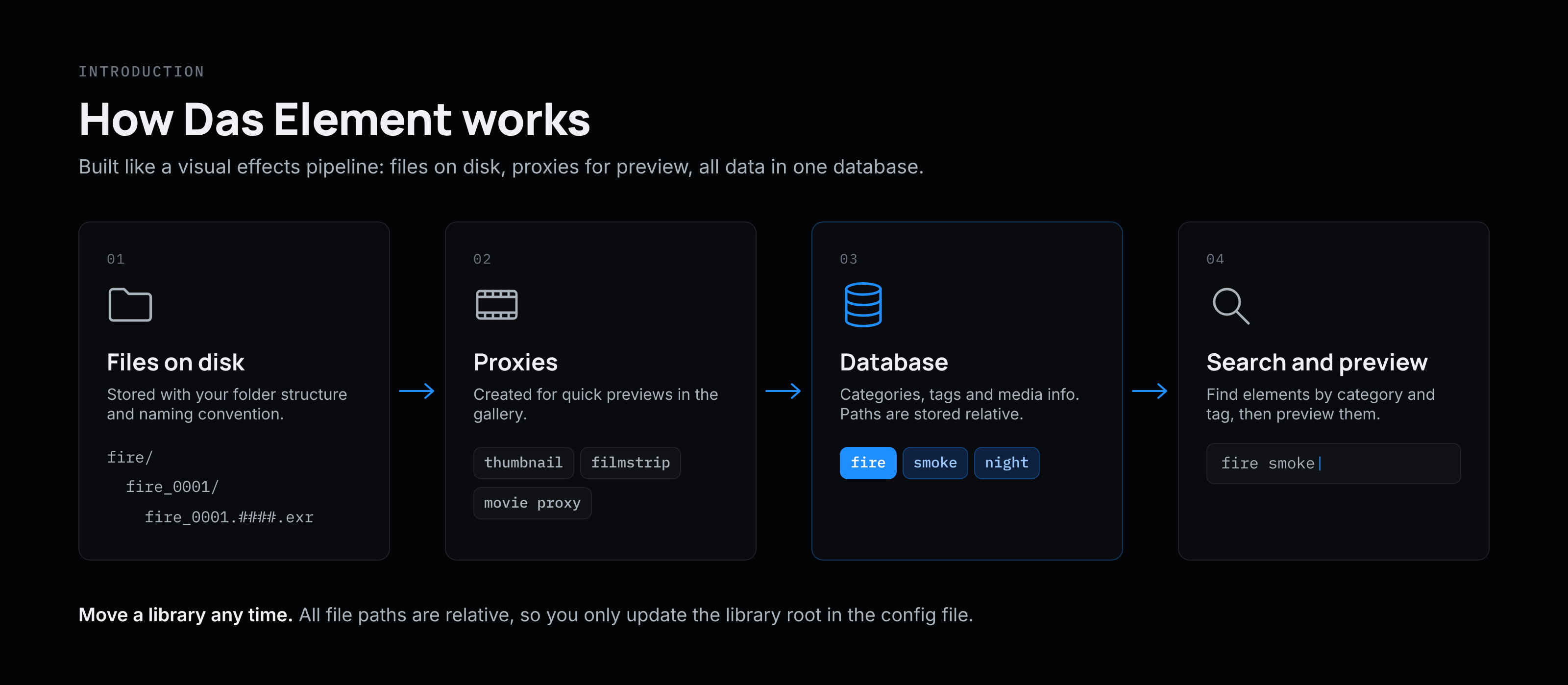
The Das Element software is built on the concept of a visual effects pipeline. You store your main elements in a structured folder system on the file system, create proxy formats for preview purposes, and store all the data in a database. Categories help you organize the elements, while tags ensure quick searches, allowing you to find the elements you need efficiently.
-
Elements are stored on disk using a defined folder structure and naming convention
-
For each element, proxy files such as thumbnails and filmstrips are created to enable quick previews
-
The data, including element categories, tags, and media information, is stored in a database
-
All file paths are stored as relative paths, allowing you to move the library data and simply update the information in the config file.
Multiple libraries
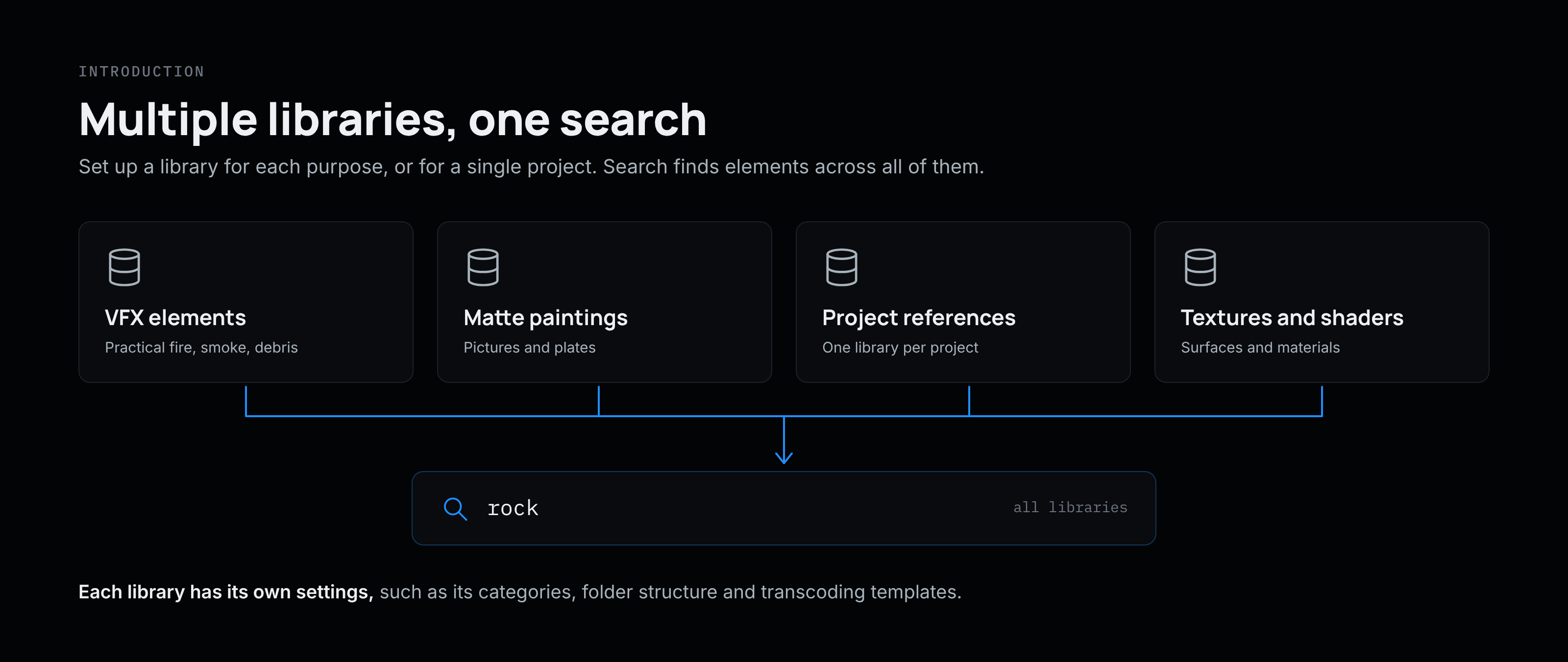
The idea is to allow you to set up multiple libraries, each serving a different purpose. You can even create libraries for specific projects. Use the search function to find the elements you need across all libraries.
For example:
-
VFX practical elements
-
matte painting pictures
-
references for a project
-
textures and shaders
-
…
File path structure
The actual files are stored on either your local file system or a file server. The file path structure is fully customizable to meet your needs. You can use the Path Builder to set up a personalized naming convention and folder structure, or, for a simpler setup, choose from one of the provided presets.
Transcoding templates
For a quick preview of the elements, various proxy files can be created, some of which are necessary for the software to function efficiently:
-
for image files, a thumbnail needs to be generated
-
for sequences and movie files, both a thumbnail and a filmstrip will be generated
-
for other files, such as project files or 3D scenes, you can set custom previews, including thumbnails and proxies (movie or 3D model).
Additionally, you can use transcoding tasks to create a movie proxy file or any other proxy you need. It is also possible to back up files to a remote server, such as a cloud backup, or upload files to an FTP server.
New to Das Element? Read Core Concept first. It takes five minutes and explains how libraries, categories and tags work.