

TLDR
-
You don't organize files. When you add elements, you assign one category and a few tags. That's it.
-
The category tree already exists. Pick from it, don't build it.
-
Where a file is stored on disk doesn't matter to you. Search finds it.
-
Never rename or move ingested files outside of Das Element.
New to Das Element? Read this before you set up your first library or ingest your first element. It covers the three ideas everything else builds on: libraries, categories and tags.
The library is a database, not a folder
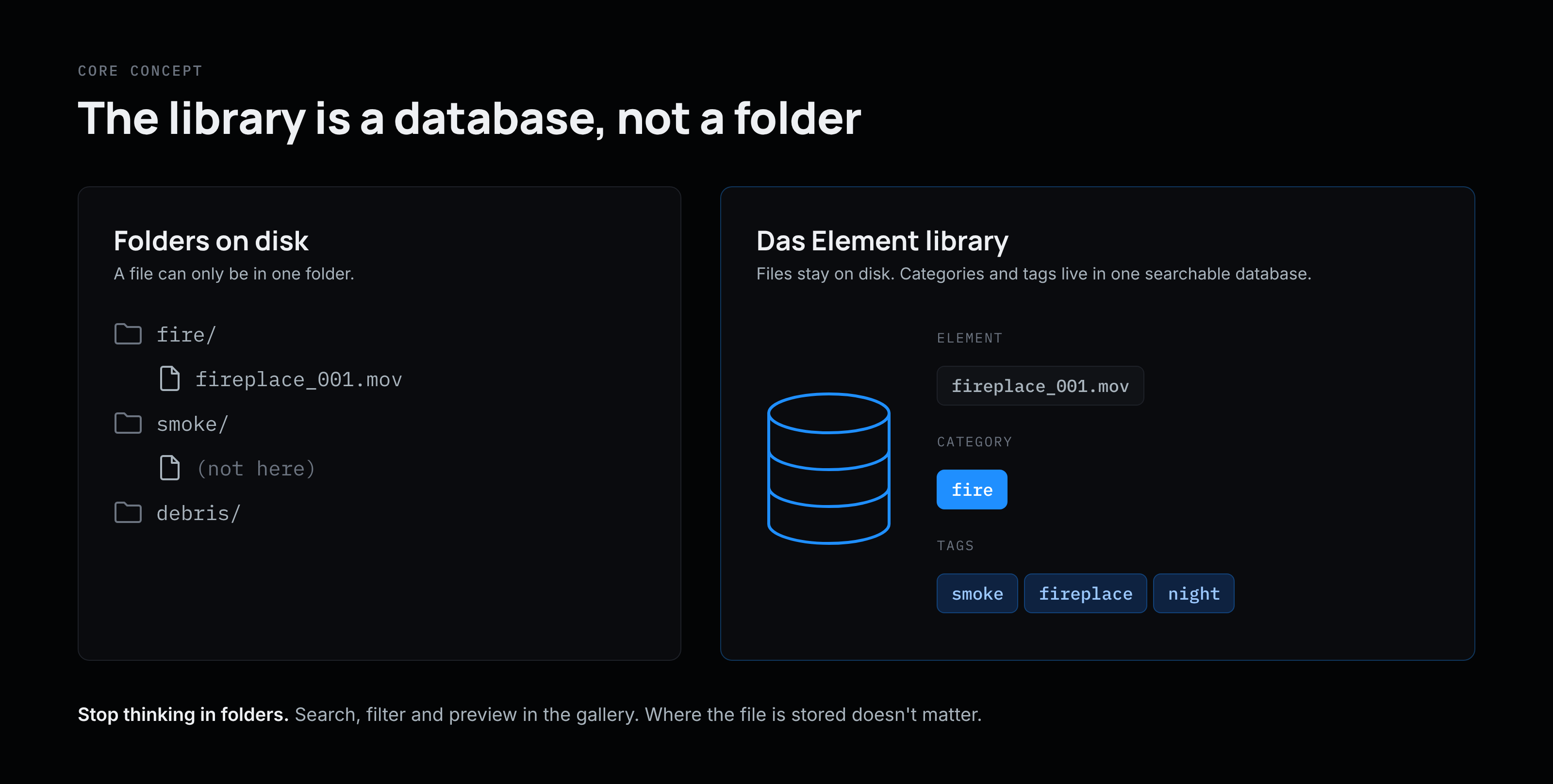
A Das Element library has two parts: a library file (its configuration) and a database that holds everything about its elements. The media files on disk or on your file server are just storage. The database is what makes them searchable.
You work in the gallery: search, filter, preview and use elements. Where files go on disk is set once per library by the naming convention and folder structure (see Path Builder) and then applied automatically at every ingest.
This is the most important mental shift: stop thinking in folders.
Categories are not folders
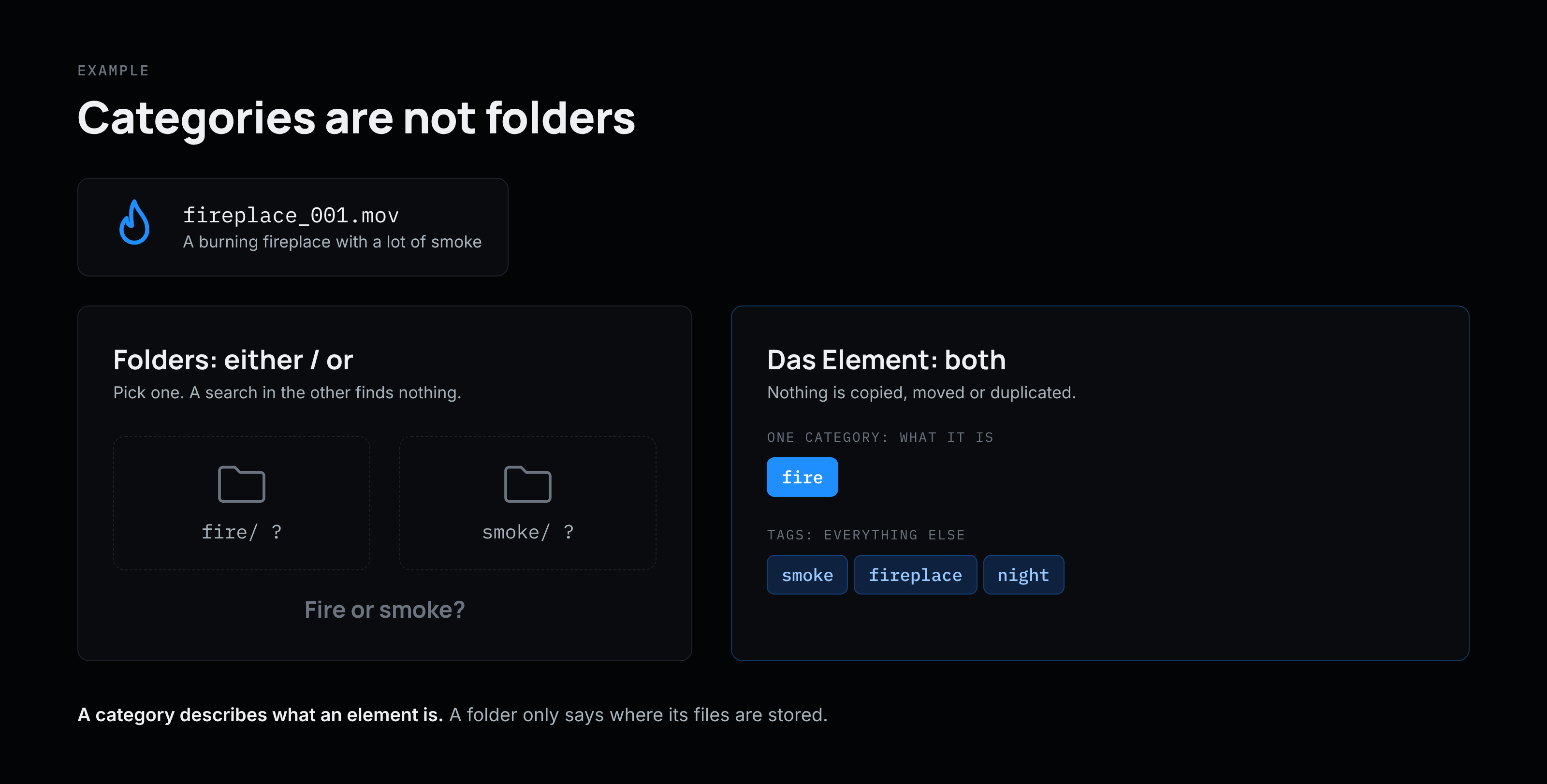
A file can only be in one folder. Take a movie of a burning fireplace with a lot of smoke: does it go in the "fire" folder or the "smoke" folder? Whoever looks in the other one won't find it.
In Das Element you don't have to choose:
-
the element gets the category fire (what it is)
-
and the tags smoke, fireplace, night (whatever else describes it)
Nothing is copied. Categories and tags live in the database, not in the file system, so changing a category later never moves the file and old project files keep their media.
A category describes what an element is. A folder only says where its files are stored.
The category tree already exists
A common misconception is that you need to design a category structure before you can start. You don't.
Das Element ships with a default category hierarchy tree built on the vocabulary VFX artists already use, like fire, smoke, debris or explosions. Each category is linked to a Wikidata ID for descriptions, synonyms and translations, so searching for a synonym finds the matching category. Learn more in Category Hierarchy Tree.
At ingest your job is simple: pick one category per element.
Categories are the fixed skeleton, tags are the flexible detail. For how categories, tags and synonyms work, see Tags & Categories.
The hierarchy tree can be customized, and since version 2.1.0 each library can use its own tree. For a global elements library, start with the default tree. Custom trees are mainly useful for special cases such as project libraries (see below).
Organize at ingest, not before
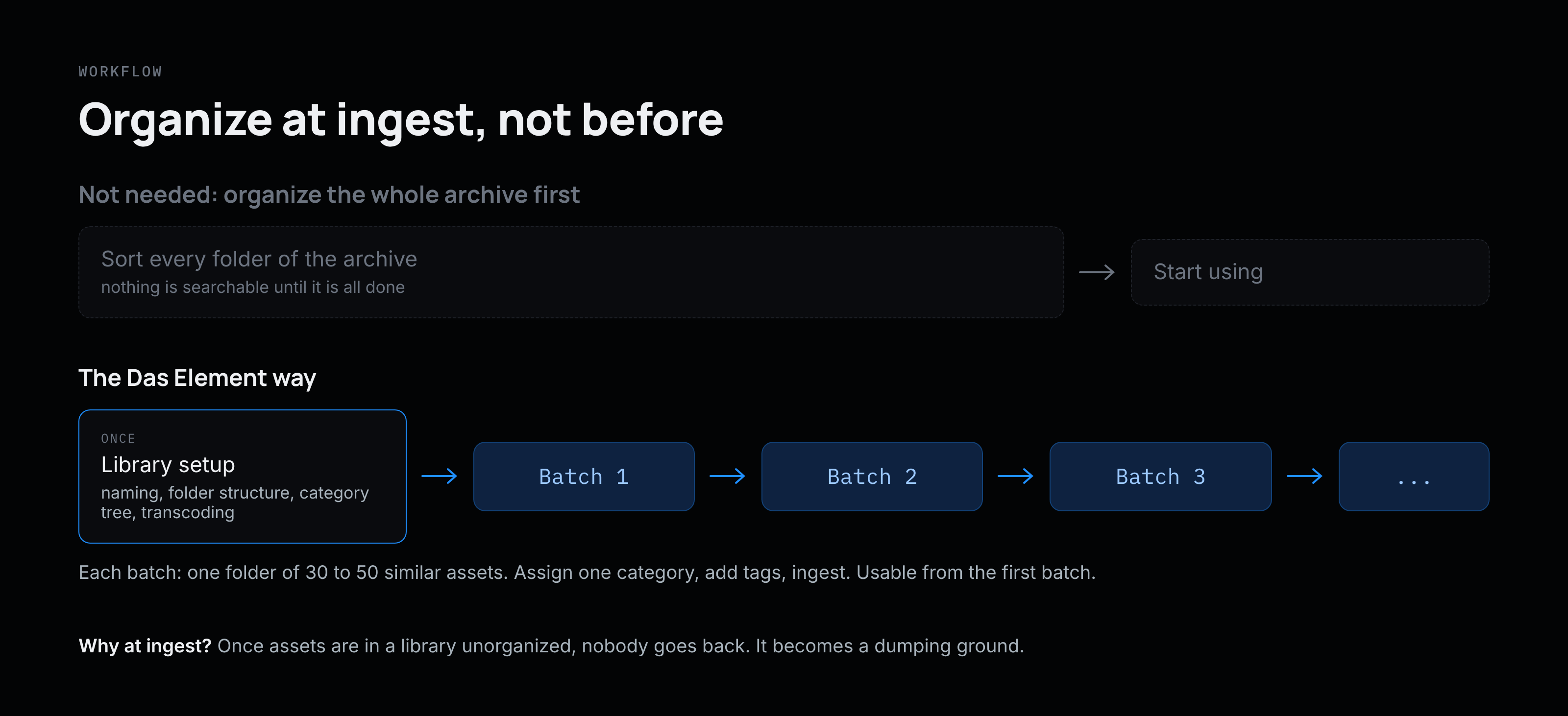
Das Element is opinionated: organizing happens at the moment of ingest. Assets that go in unorganized rarely get cleaned up later, and the library turns into a dumping ground.
But "organize at ingest" does not mean "organize your whole archive first":
-
Before you start, only set up the library: naming convention and folder structure, category hierarchy and transcoding templates. You decide this once, not per asset. See Quick start.
-
Then start small. Work in batches of 30 to 50 similar assets, for example one folder at a time: assign the category, add a few tags, ingest. This keeps your tags under control, shows conflicts early and makes the library useful from the first ingest.
-
Automate where you can. The pre ingest load hook can fill in category and tags from the file path, and the command line tool and Python API can batch ingest large amounts of elements. See Ingest.
-
After ingest, don't rename or move files by hand. The database keeps track of them, so project files from years ago never lose their media. To move a whole library, follow Move library data.
Project libraries vs. global libraries
You can set up multiple libraries for different purposes and search across all of them. Two typical kinds:
|
|
Project or on-set library |
Global library |
|---|---|---|
|
Scope |
One show or one shoot |
Long-term, across all projects |
|
Categories |
Often a custom tree that mirrors the project or shoot structure (sequences and shots, shooting days, data types). Hooks can set category and tags straight from the folder path. |
The default category tree with the shared VFX vocabulary (fire, smoke, debris, ...) |
|
Feels like |
A fast, searchable browser for everything shot or received |
A curated collection that grows for years |
Project and on-set libraries usually "click" right away because their categories mirror a structure the team already knows. In a global library, categories describe what an element is, not where it came from. Don't rebuild your old archive folders as categories: pick the matching category from the tree and put everything else into tags.
Both kinds use the same concepts, but discipline at ingest pays off most in a global library: every element with the right category and good tags will actually be found again.
Guides: Setup project library, Setup on-set library, Setup existing library
Want the background? These ideas are explained in more depth in Jonas Kluger's article The humble guide to building an asset library on befores & afters. See also Library concepts.