

-
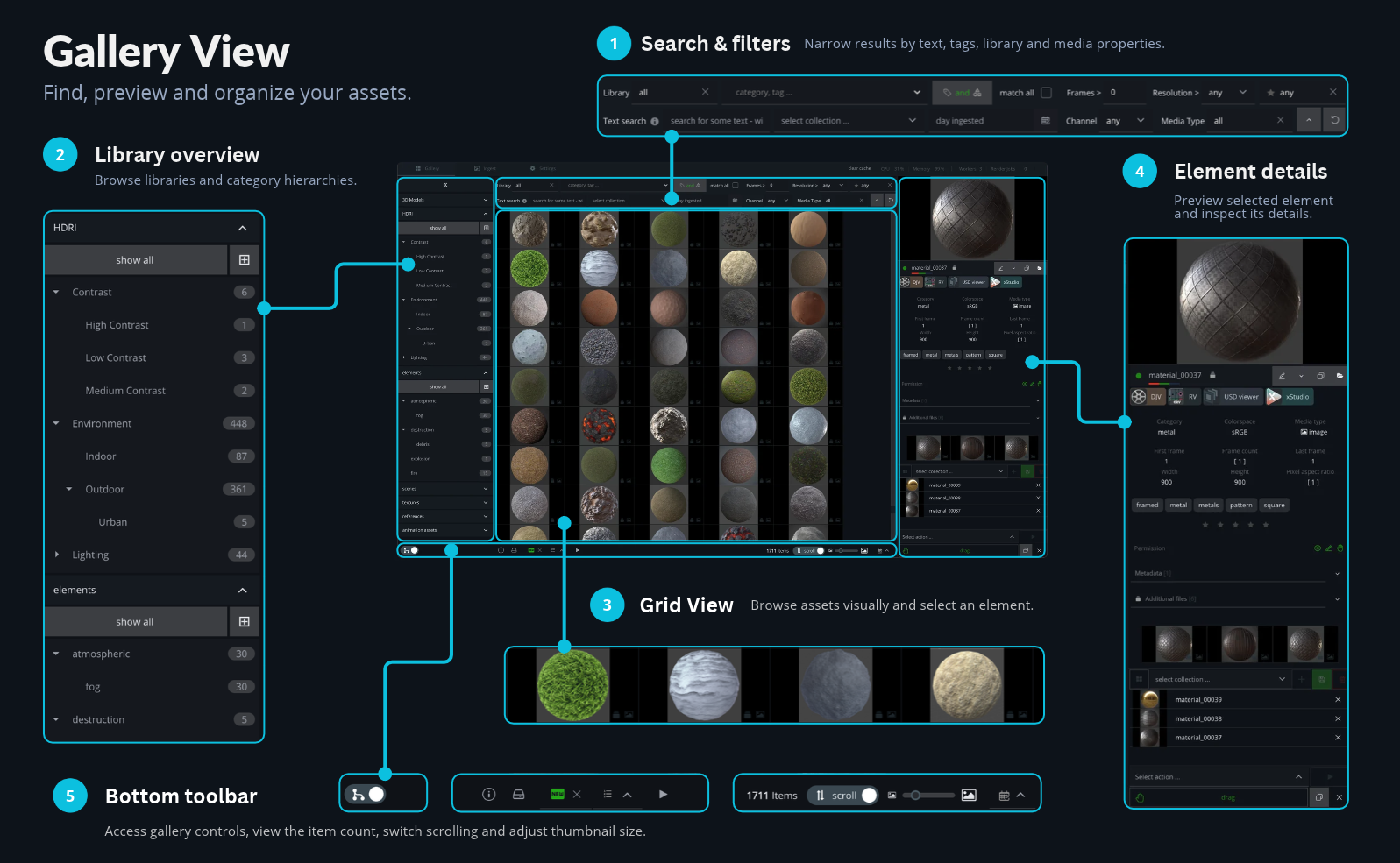
Search & filters
Find assets using text, categories or tags. Refine your results by library, collection, ingest date, media type, resolution, frame count and other properties. -
Library overview
Browse your libraries and their category hierarchies. Expand categories to explore subcategories, or select “show all” to display every asset in a library. -
Grid View
Explore your assets through visual thumbnails. Select an element to display its preview and information in the details panel. -
Element details
Preview the selected asset and inspect its tags, category, resolution, frame information and metadata. Access additional files, open the asset in an external viewer, or work with collections and actions. -
Bottom toolbar
Access gallery controls and see the number of matching assets. Switch scrolling and adjust the thumbnail size to suit how you want to browse the grid.